
Z-Image is the leading local model for generating realistic images. The possibility is endless when it is used with the Wan 2.2 model to animate the image.
This workflow delivers just that. The same prompt is used for Z-Image and Wan 2.2 to generate a video clip, with an option to add background audio.
With a single click, this workflow can generate high quality videos from a text prompt.
You must be a member of this site to download the workflow JSON file.
Table of Contents
Software
We will use ComfyUI, a free AI image and video generator. You can use it on Windows, Mac, or Google Colab.
Think Diffusion provides an online ComfyUI service. They offer an extra 20% credit to our readers.
Read the ComfyUI beginner’s guide if you are new to ComfyUI. See the Quick Start Guide if you are new to AI images and videos.
Take the ComfyUI course to learn how to use ComfyUI step by step.
Workflow overview
This workflow combines the Z-Image text-to-image model and the Wan 2.2 Image-to-Video model into a single workflow. You only need to provide a text prompt to generate a video, with the option to add a background video.
Image generation
The workflow first generates an image from text using the Z-Image model.
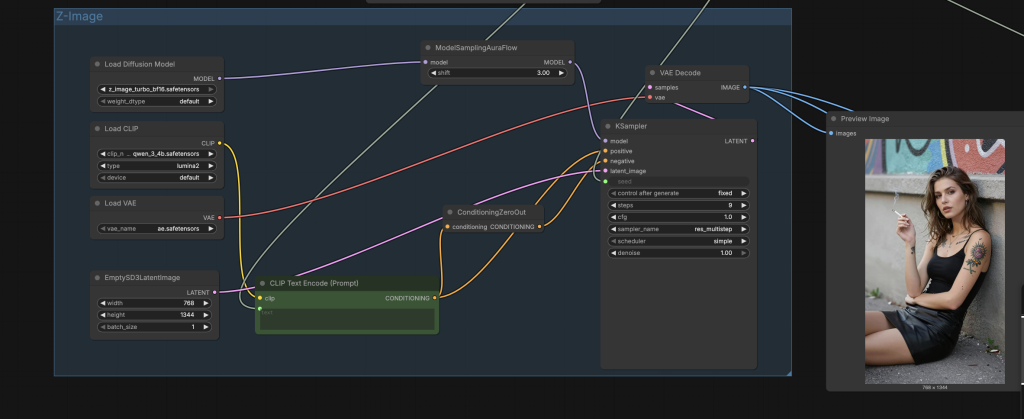
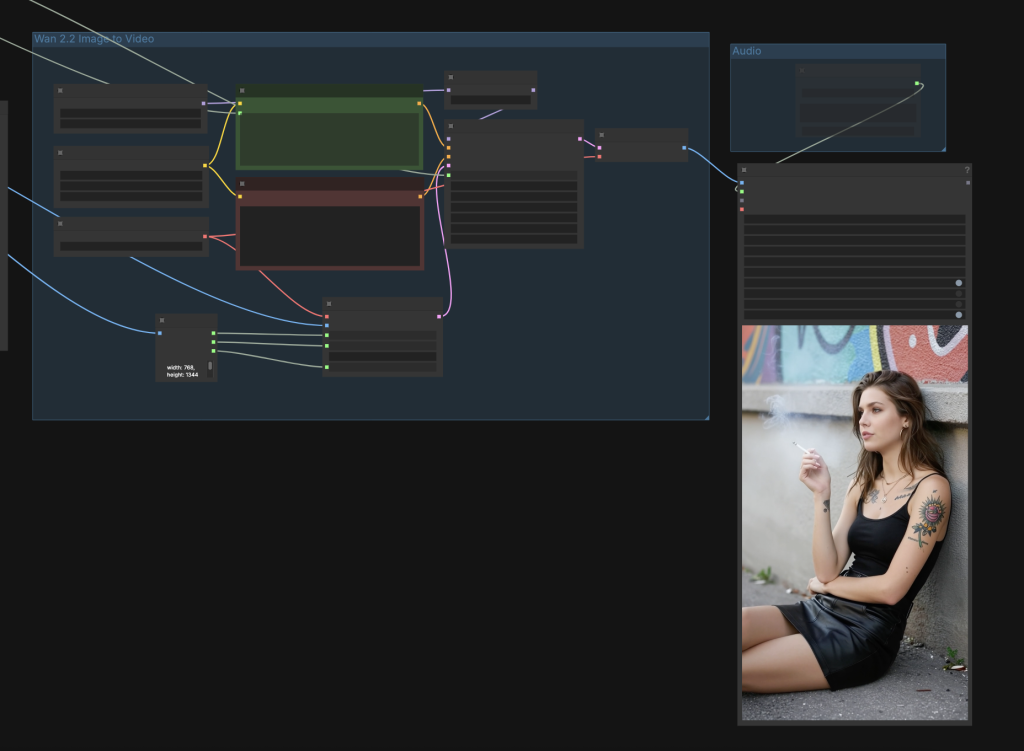
Video generation
The same prompt is fed into the Wan 2.2 Image-to-video model to complete the video generation.
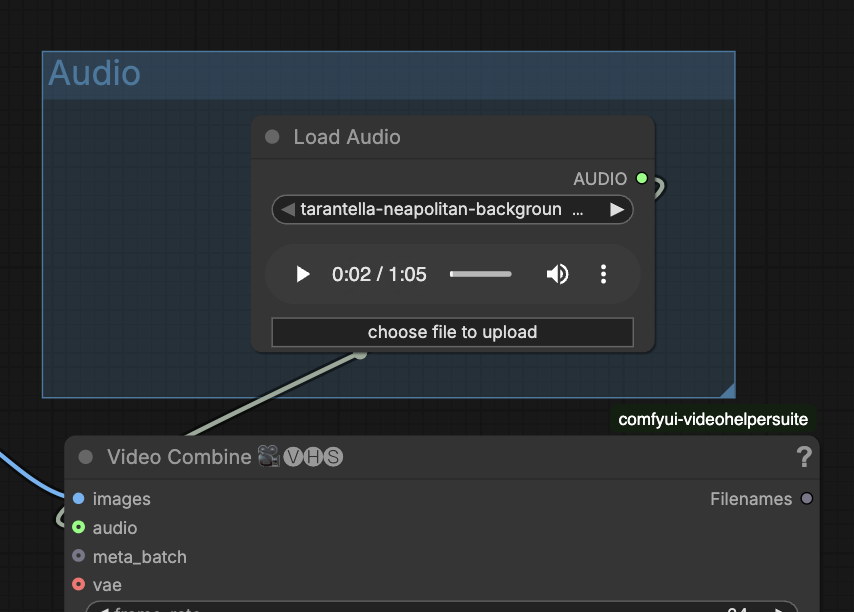
Audio
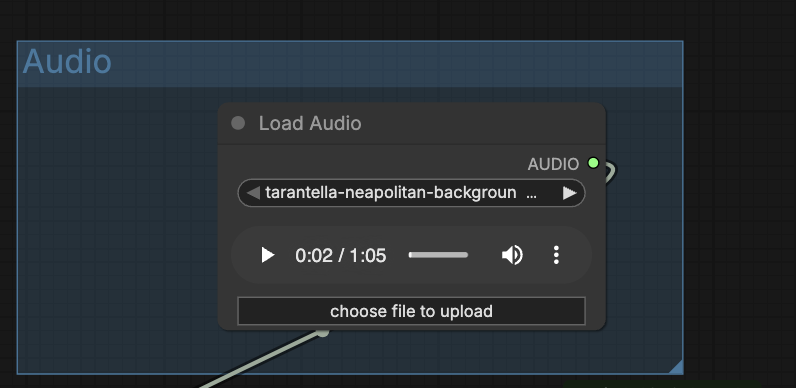
You can optionally add an audio to this workflow.
Conforming video size
To avoid size mismatch between the image and the video, I used the Get Image Size node to read the size of the generated image and fed it into the Wan 2.2 video latent.

Same prompt for image and video
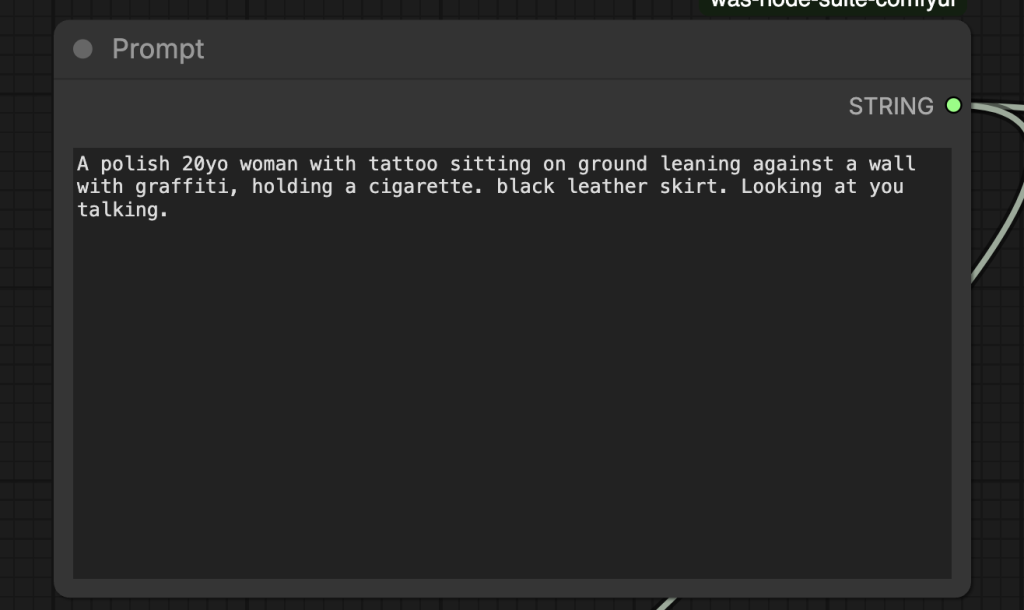
In order to use the same prompt for generating the image and the video, I used the multi-line text box (which is easier to read than the String Primitive node) from the Was Node Suite.
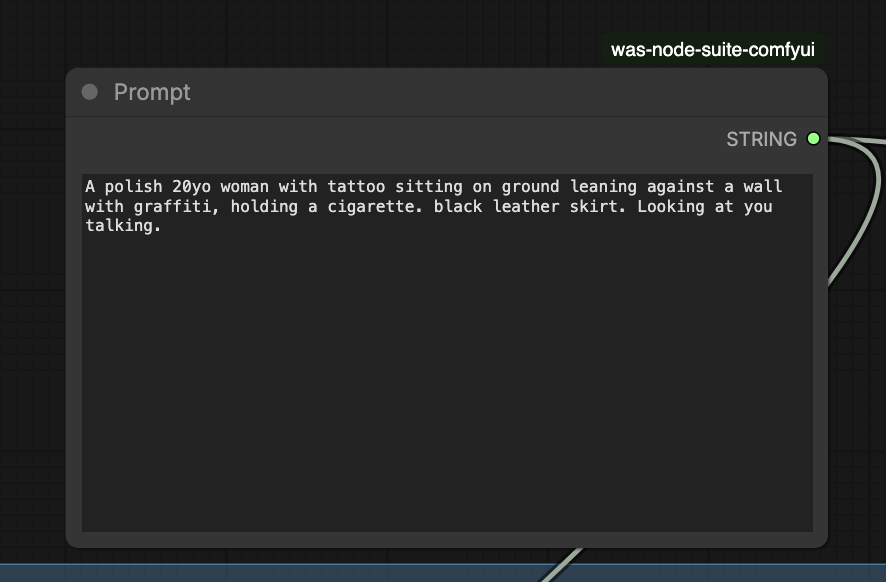
Note that passing the conditioning from Z-Image to Wan won’t work because they use different CLIP models (text encoders).
Step-by-step guide
Step 1: Install models
Install the Z-Image models:
- Download ae.safetensors and put it in ComfyUI > models > vae folder.
- Download qwen_3_4b.safetensors and put it in ComfyUI > models > text_encoders folder.
- Download z_image_turbo_bf16.safetensors and put it in ComfyUI > models > diffusion_models folder.
Install the Wan 2.2 5B model:
- Download wan2.2_ti2v_5B_fp16.safetensors and put it in ComfyUI > models > diffusion_models.
- Download umt5_xxl_fp8_e4m3fn_scaled.safetensors and put it in ComfyUI > models > text_encoders.
- Download wan2.2_vae.safetensors and put it in ComfyUI > models > vae.
Step 2: Load the workflow
Download the workflow below. Drop it into ComfyUI to load.
Step 3: Install missing nodes
If you see nodes with red borders, you don’t have the custom nodes required for this workflow. You should have ComfyUI Manager installed before performing this step.
Click Manager > Install Missing Custom Nodes.
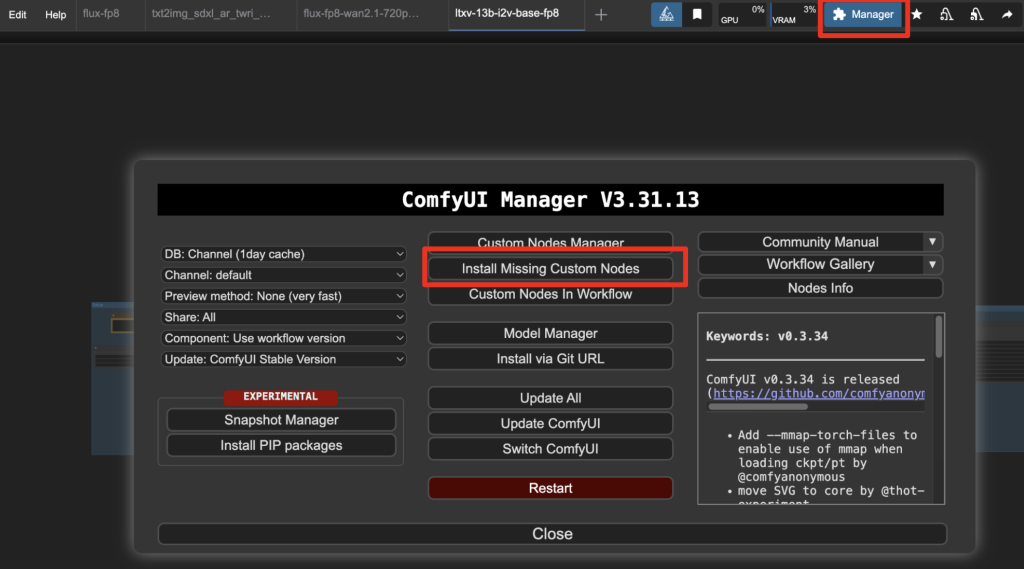
Install the nodes that are missing.
Restart ComfyUI.
Refresh the ComfyUI page.
Step 4: Revise the prompt
Revise the prompt in the Prompt node. It should describe the video. Don’t forget to add some action words.
Step 5: Upload an audio file
Upload an audio file in the Load Audio node for the background of the video.
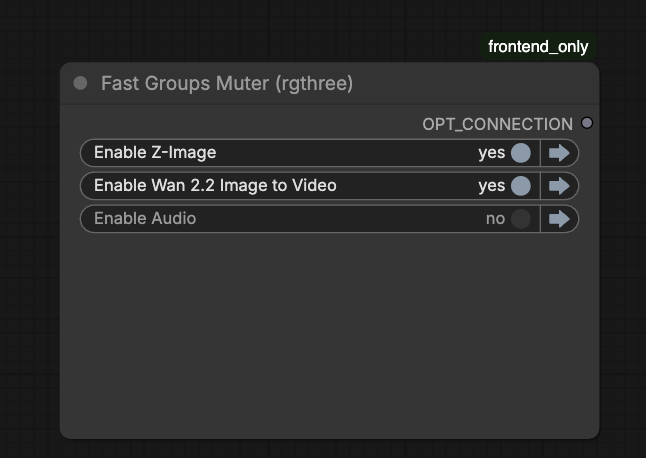
If you don’t want background audio, you can disable the Audio group in the Fast Group Muter.
Step 6: Run the workflow
Click the Run button to run the workflow.

Tips
Refine the image before generating the video
The video generation takes a long time. Normally, you want to get a good image first before generating a video.
To generate the image only without the video, disable the Wan 2.2 group in the Fast Group Muter.
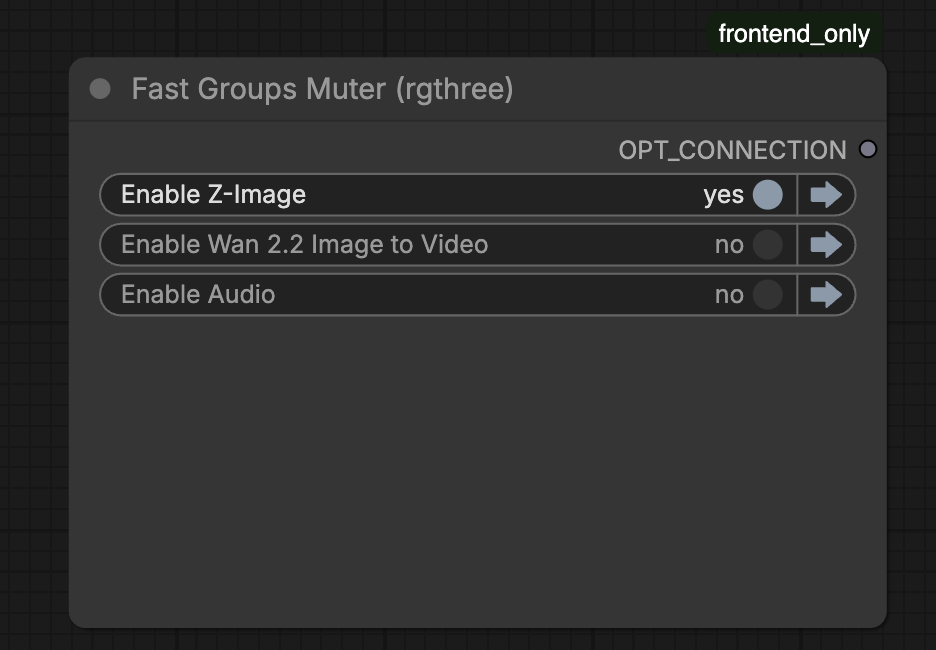
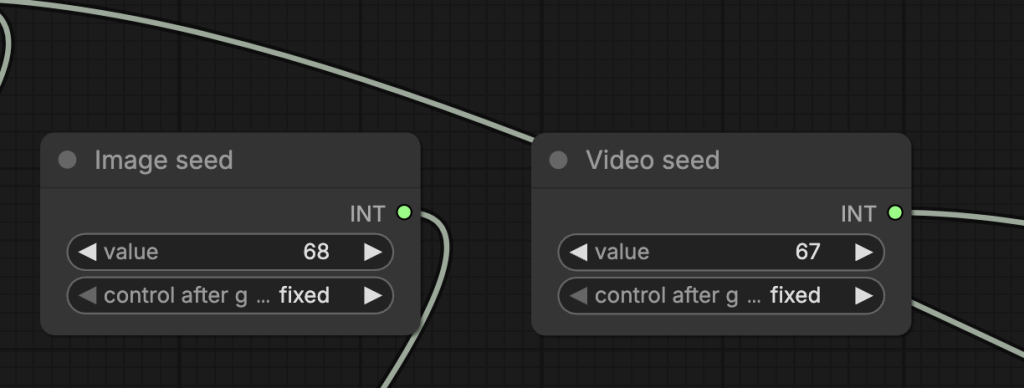
Change the prompt and the image seed to get a satisfactory image.
Image and video seeds
Change the image seed to generate an image variation.
Change the video seed to generate a video variation.
Video size
The video size is dictated by the image size.
The image size can be adjusted in the Empty SD3 Latent Image node.
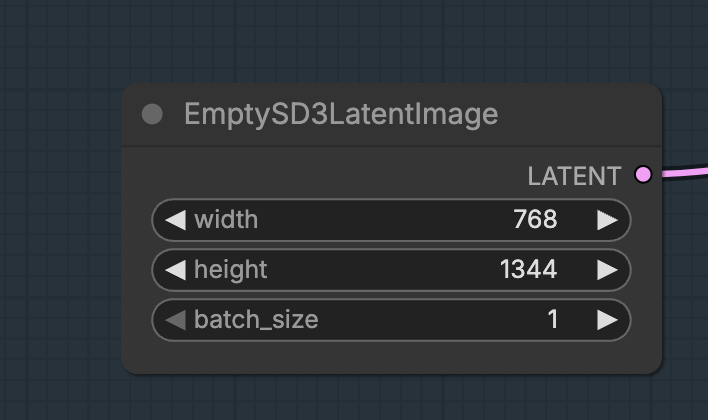
The rule of thumb is width times height should be about 1 million pixels.
Video length
The video length, in frames, can be adjusted in the Wan22 Image To Video Latent node.
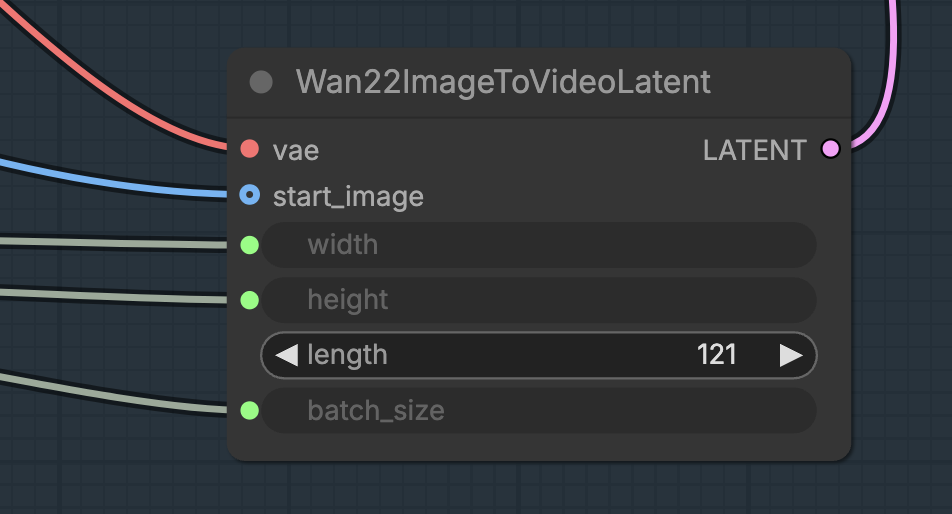
Oh- if we want the video prompt to be different than the photo prompt, how do we modify this workflow?
This is my new favorite workflow! It works SO much better than text to video with Wan2.2 and seems to work faster than first frame last frame. Z-image does really well with fantasy and abstract, which has been a struggle with other models. I’m working with a 4070 and got it pushed to 12 seconds at 768×1344 at 16 frames per second… I might try pushing it further!